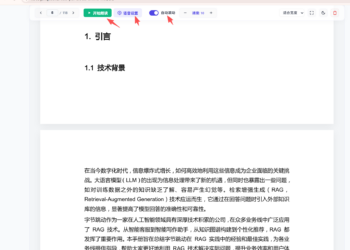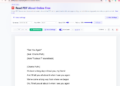

Read PDF aloud online free is a free, web-based tool designed to read your PDF documents aloud with natural-sounding speech. It features automatic sync scrolling, customizable speech rate/pitch, multi-voice selection, and smart layout correction to give you an effortless listening and reading experience.
Related articles
Quick Start Guide
- Open Tool: Visit Online PDF TTS Reader, pdf read aloud .
- Upload File: Click "Select File" or drag and drop your PDF into the tool.
- Configure & Listen: Pick your preferred voice and speed, then click Play to start natural audio readout with automatically corrected text flow.

广告
Key Features & Highlights
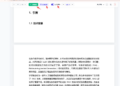
- 🎯 Intelligent Reading Order Correction: Smart layout parsing automatically resolves text sequence issues common in multi-column or complex PDFs, ensuring text is read aloud in the exact logical order without text scrambling.
- 🔊 Natural-Sounding Voices: Choose from a wide array of built-in system voices (male/female) across various languages and accents.
- ⚡ Customizable Playback Controls: Easily adjust reading speed (0.5x to 2.0x) and pitch with instant preview, pause, and resume capabilities.
- 📖 Auto-Scroll & Line Highlighting: Pages automatically scroll down in real time as the text is read, keeping visual focus synchronized with the audio output.
- 🔒 Privacy-First (100% Client-Side): All text processing runs directly in your browser. Your confidential PDF files are never uploaded to any remote server.
- 📱 Cross-Platform Compatibility: Fully functional across desktop and mobile browsers on Windows, macOS, Android, and iOS.
Visit Online PDF TTS Reader, read PDF aloud .