
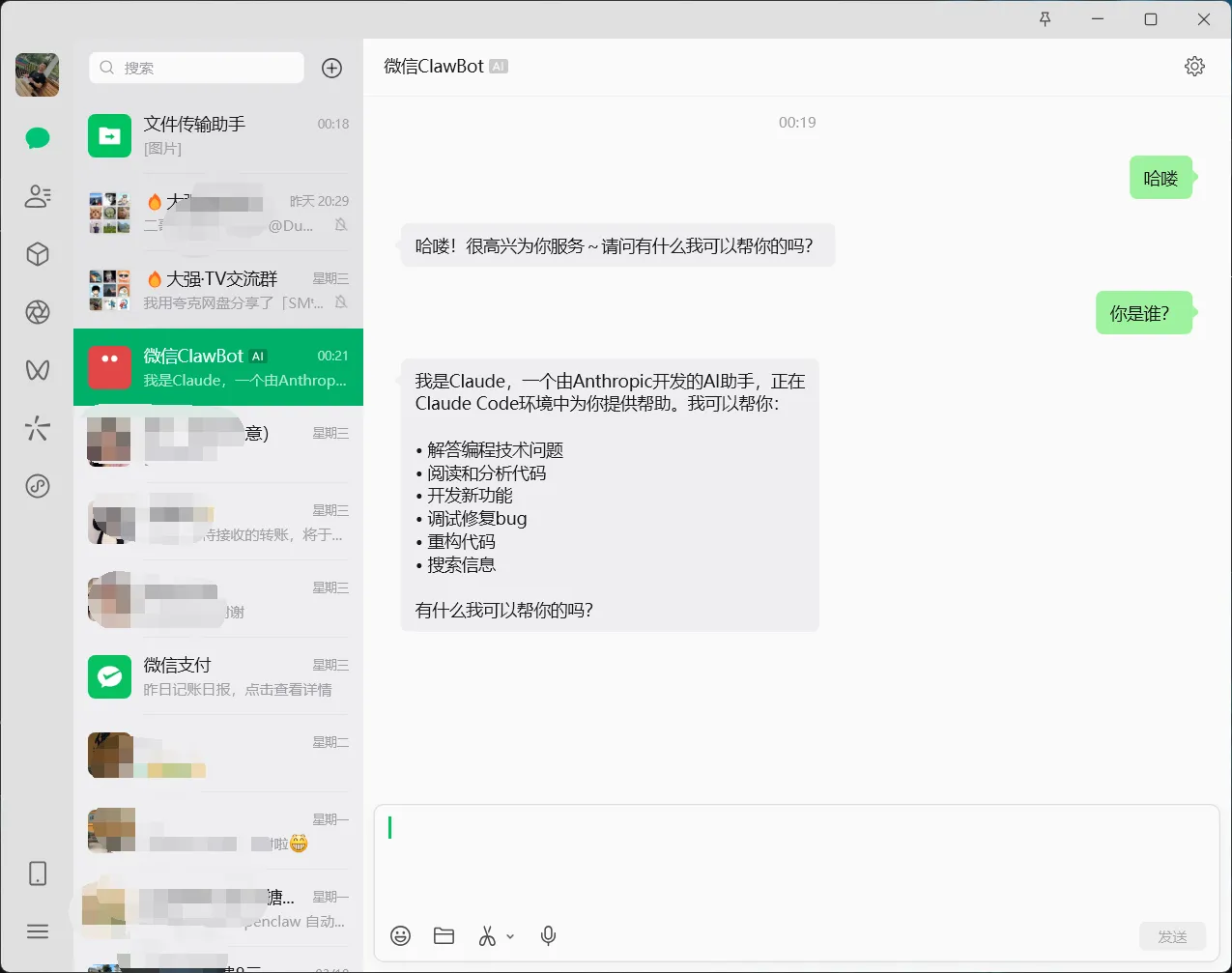
最近微信推出了 clawBot 插件,找个几个微信桥接器 Claude 项目,最终都失败了,就在刚刷即刻突然看到艾逗笔大佬的 weclaw,让我眼前一亮.
只需一行命令就可以桥接给微信,安装后自动检测已安装的 AI Agent(Claude、Codex、Gemini 等),重要的是这个项目不是逆向实现的桥接服务,无封号风险。

1. 安装 weclaw
下载二进制文件扫码登录
https://github.com/fastclaw-ai/weclaw/releases/tag/v0.6.2
或一键命令安装
# 一键安装
curl -sSL https://raw.githubusercontent.com/fastclaw-ai/weclaw/main/install.sh | sh

# 启动 (首次运行会弹出微信扫码登录)
weclaw start
2. 开始使用
安装完回自动检测已安装的 AI Agent(Claude、Codex、Gemini 等)
weclaw 是基于微信官方接口 (不是逆向、不是 hack) 实现的桥接服务,无封号风险,可放心接入,无需小号。
3. 聊天命令 (可选)
~/.weclaw/config.json 配置文件,默认使用 Claude,你可以将 default_agent 的值修改为其他你常用的 Agent,一次性接入多个 Agent
也可以在配置文件中为每个 Agent 自定义触发命令:
{
  "agents": {
    "claude": {
      "type": "acp",
      "aliases": ["ai", "c"]
    }
  }
}
然后 /ai 你好 或 /c 你好 就会路由到 claude。
PS. 另外使用 weclaw start 可以添加更多微信账号。
4. 常见问题
A. 运行 weclaw 提示 command not found
请重新执行官方安装脚本或使用 Go 安装:
go install github.com/fastclaw-ai/weclaw@latest
安装后确认以下路径已加入系统环境变量 PATH:
- Linux/macOS:
~/.local/binWindows:%USERPROFILE%\go\bin
验证命令:
Linux/macOS:which weclaw Windows:where weclaw
能查询到路径后,再执行 weclaw start。
B. 默认使用 Codex 而非 Claude
打开配置文件 ~/.weclaw/config.json,将 default_agent 的值修改为 codex,保存后重启 weclaw start 生效。
5. 类似的项目
https://github.com/m1heng/claude-plugin-weixin
https://github.com/cyhhao/vibe-remote
https://github.com/qufei1993/cc-weixin
PS. 如需远程配置,联系微信:dqtx33 远程客户端下载网址:742112.xyz